
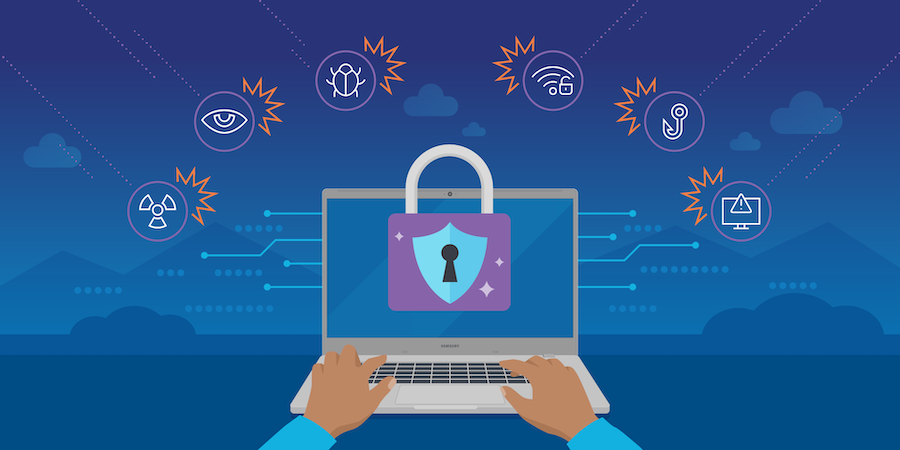
Remote work has become mainstream in 2026, with businesses relying on home networks, cloud platforms, and collaboration tools. While this offers flexibility and productivity, it also introduces new cybersecurity risks. Cybercriminals increasingly target remote workers, exploiting weak passwords, unsecured networks, and misconfigured systems.
This blog outlines essential cybersecurity best practices for remote work, helping employees and organizations stay secure in a distributed work environment.
Table of Contents
1. Secure Home Networks
Home networks are often less secure than corporate environments, making them a prime target for attackers.
- Best Practices:
- Change the default router username and password
- Enable WPA3 encryption for Wi-Fi
- Regularly update router firmware
- Segment networks for personal and work devices
- Example: A company VPN can be configured to restrict work devices to a secure network, reducing the risk of lateral attacks.
2. Use Virtual Private Networks (VPNs)
VPNs encrypt internet traffic, making it harder for attackers to intercept data.
- Best Practices:
- Always connect to a company-approved VPN when accessing work systems
- Avoid using public Wi-Fi without VPN protection
- Choose VPNs with strong encryption protocols (AES-256)
- Example: VPNs prevent hackers from stealing login credentials or sensitive documents during remote sessions.
3. Enable Multi-Factor Authentication (MFA)
MFA adds a second layer of protection beyond passwords.
- Best Practices:
- Enable MFA for email, cloud services, and corporate apps
- Use authenticator apps instead of SMS when possible
- Combine biometric verification with strong passwords
- Benefit: Even if a password is compromised, MFA prevents unauthorized access.
4. Regular Software Updates and Patch Management
Cyber attackers exploit outdated software vulnerabilities.
- Best Practices:
- Enable automatic updates for operating systems and applications
- Patch security vulnerabilities in collaboration tools, browsers, and VPN clients promptly
- Monitor for zero-day exploits and apply emergency patches
- Example: Keeping Zoom or Teams updated prevents exploitation of known vulnerabilities in video conferencing platforms.
5. Secure Device Usage
Remote workers often use multiple devices for work and personal tasks.
- Best Practices:
- Use company-approved devices with endpoint protection
- Encrypt hard drives to protect sensitive data
- Avoid storing work credentials on personal devices
- Enable remote wipe capability in case a device is lost or stolen
- 2026 Trend: AI-powered endpoint security monitors suspicious activity across devices in real-time.
6. Employee Cybersecurity Training
Humans are often the weakest link in remote work security.
- Best Practices:
- Conduct regular training sessions on phishing and social engineering
- Run simulated phishing attacks to evaluate awareness
- Encourage reporting of suspicious emails or behavior
- Example: Employees trained in 2026 are less likely to fall for spear-phishing campaigns targeting executives.
7. Data Backup and Recovery Plans
Remote work increases the risk of data loss due to ransomware or hardware failure.
- Best Practices:
- Maintain regular cloud and offline backups
- Test disaster recovery plans periodically
- Use version control for critical documents
- Benefit: Enables quick restoration of business continuity in case of cyber incidents.
Conclusion
Remote work in 2026 provides flexibility, but it also requires strong cybersecurity practices. Employees and organizations must focus on:
- Secure networks and VPN usage
- Multi-factor authentication and strong passwords
- Regular updates, endpoint security, and AI monitoring
- Employee awareness and disaster recovery planning
By implementing these best practices, businesses can protect sensitive data, maintain productivity, and reduce cyber risks, ensuring a secure remote work environment.
1 thought on “Remote Work and Cybersecurity Best Practices in 2026”